PhotosCamera
Pick a photo
Import from Photos or capture the scene with your camera.
 MeasureMarkiPhone · iPad
PHOTO ANNOTATION, REFINED
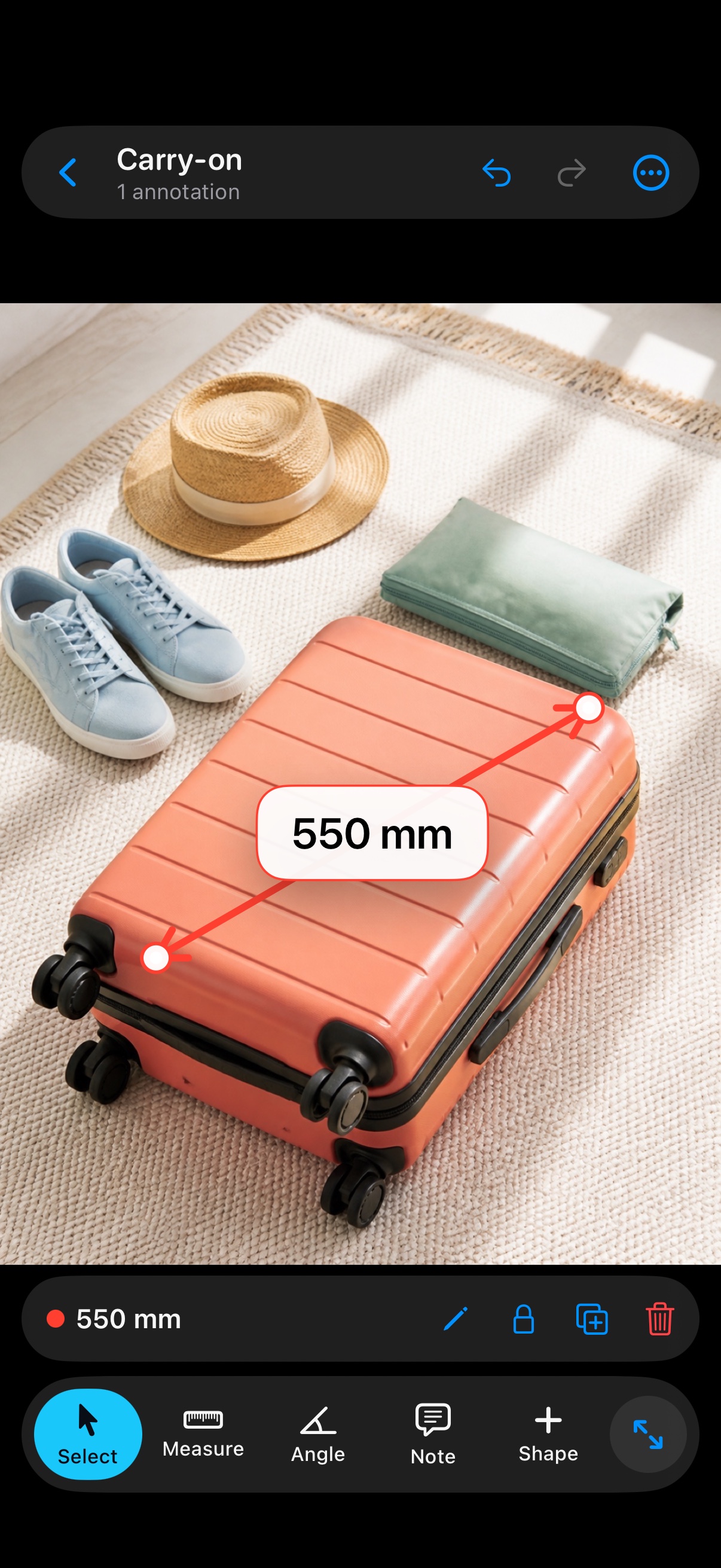
Add dimensions, callout notes, and clean visual marks to everyday photos—without fighting the canvas.
THE SHORT PATH
MeasureMark keeps the work on the image and the controls close to your thumb.
Import from Photos or capture the scene with your camera.
Tap the points and enter the real value you already measured.
Export a clean copy for a client, colleague, report, or archive.
Clear by design: MeasureMark annotates the value you enter. It does not infer real-world dimensions from image pixels.
BUILT AROUND THE PHOTO
Everything is tuned to keep the photo visible and editing predictable.
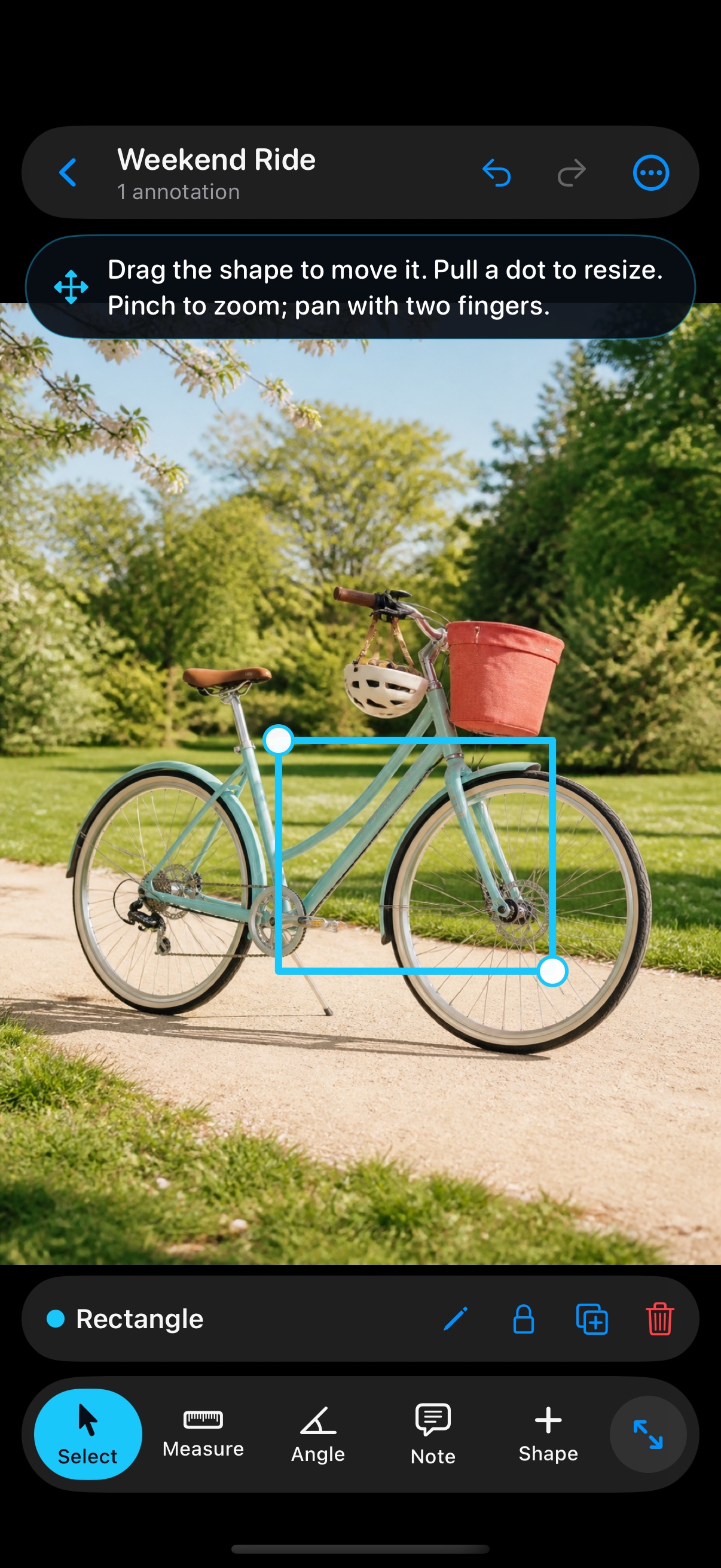
Place a point, pinch to zoom, move the photo, then place the next point. Your unfinished mark stays with you.
Add dimensions, angles, precise callout notes, rectangles, ellipses, and arrows to almost any photo.
Choose line color, weight, pattern, arrowheads, label size, and label background for clear contrast.
Create high-resolution JPG, PNG, or PDF files, save images to Photos, or share through the iOS share sheet.
PRECISE CALLOUTS
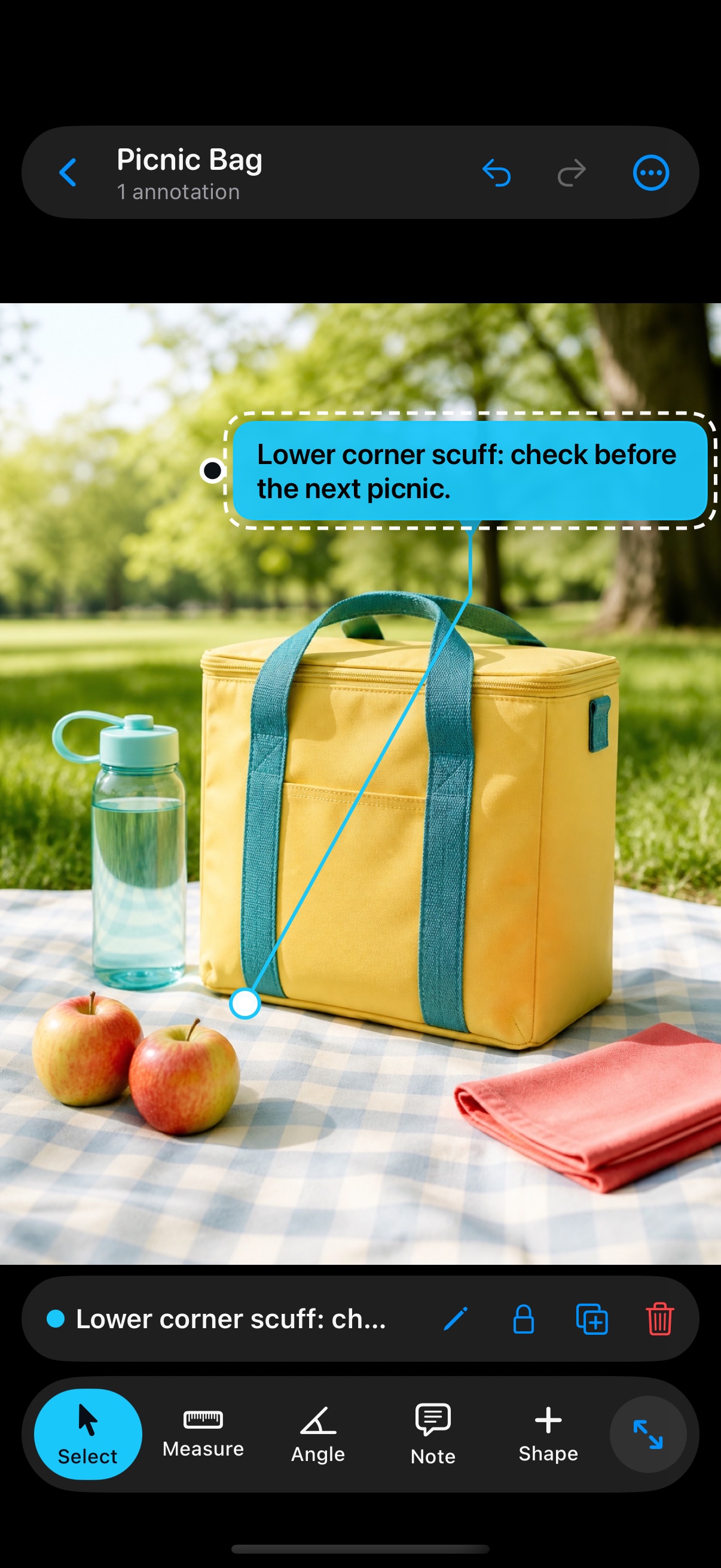
Place the target and the text bubble independently. A compact folded leader keeps the connection obvious without covering the photo.
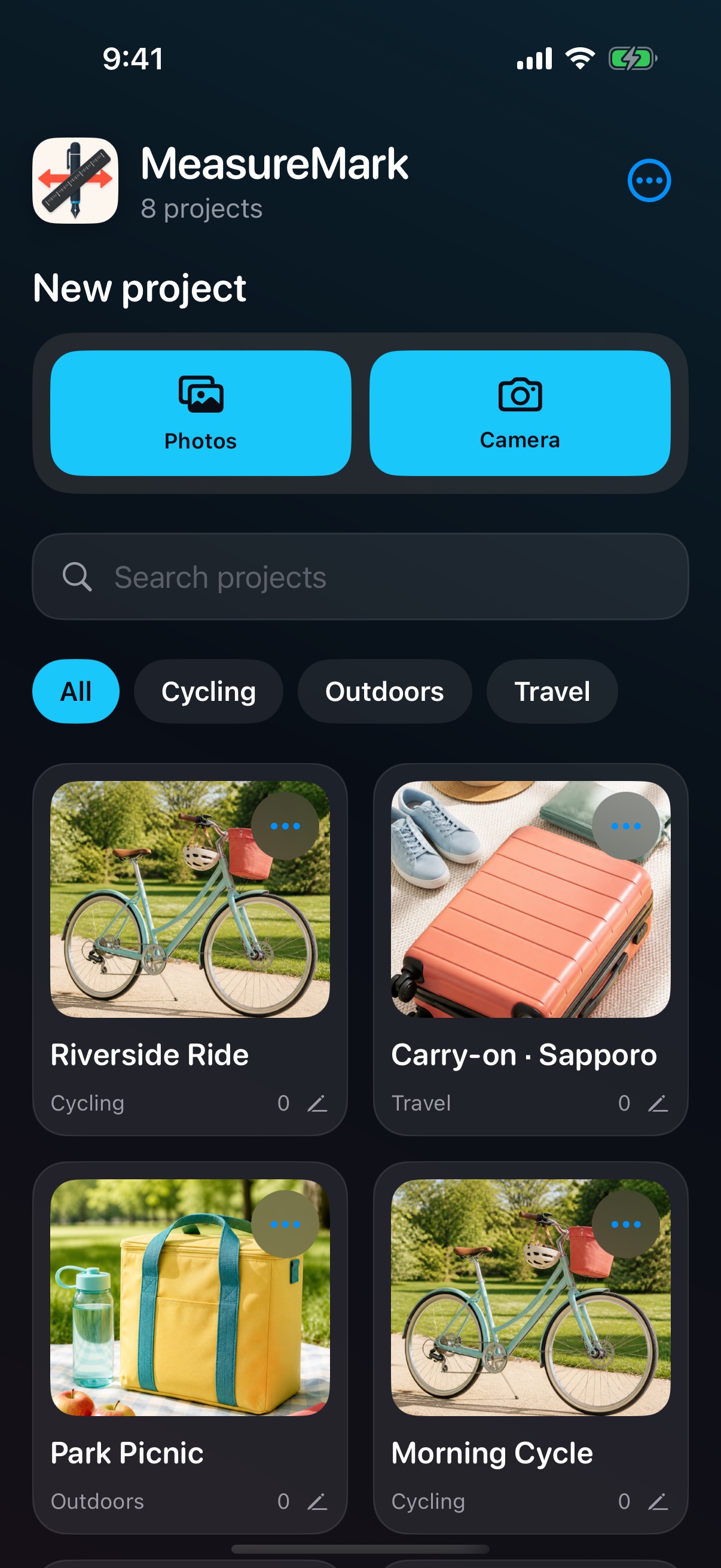
READY FOR THE NEXT PHOTO
Search projects, group them by category, duplicate a useful setup, and export an entire category as a PDF.
MEASUREMARK FOR IOS
Designed for iPhone and iPad running iOS 17 or later.
Support & contact