Keep experiments as cards
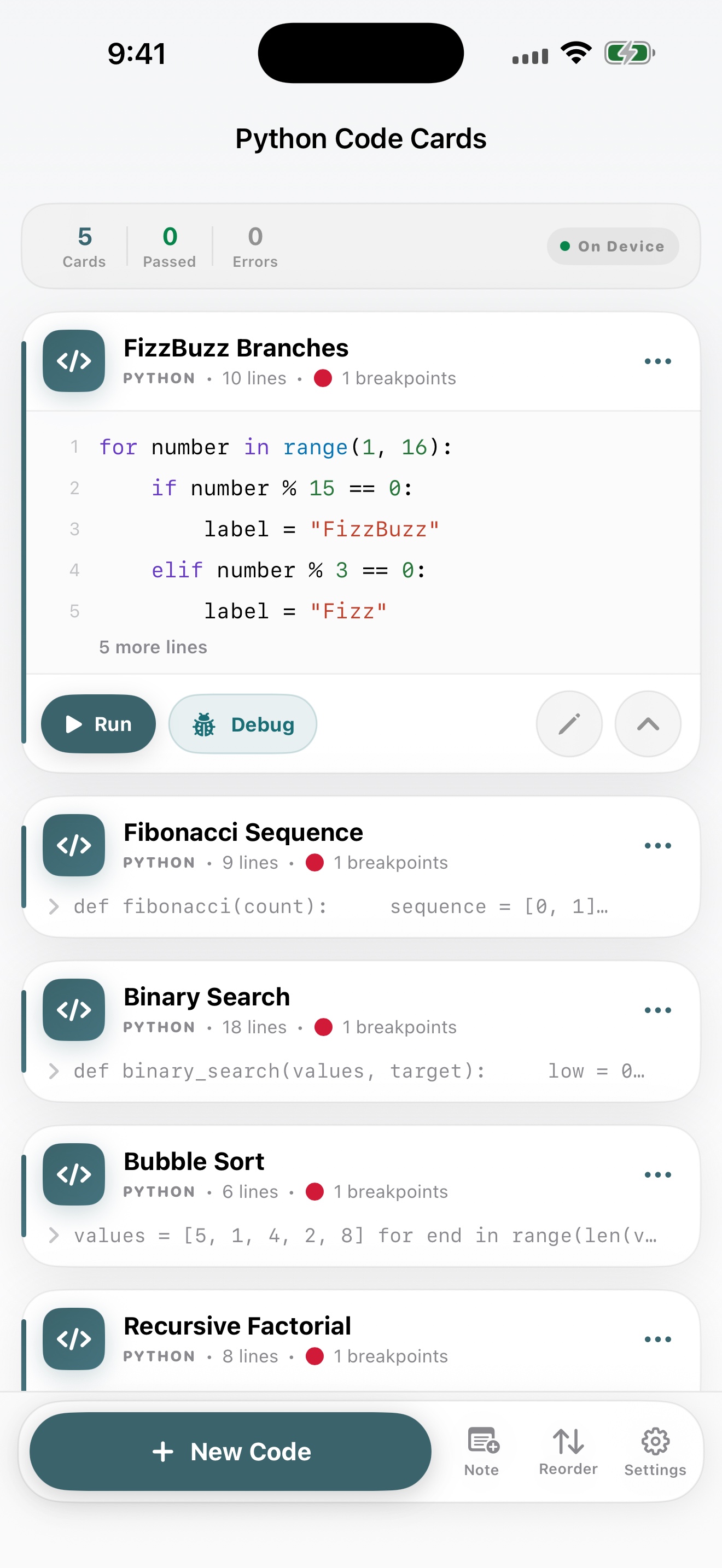
Add code and notes, then edit, duplicate, collapse, or reorder them. Source, breakpoints, watches, and recent results stay together on your device.
Python execution & debugger for iOS
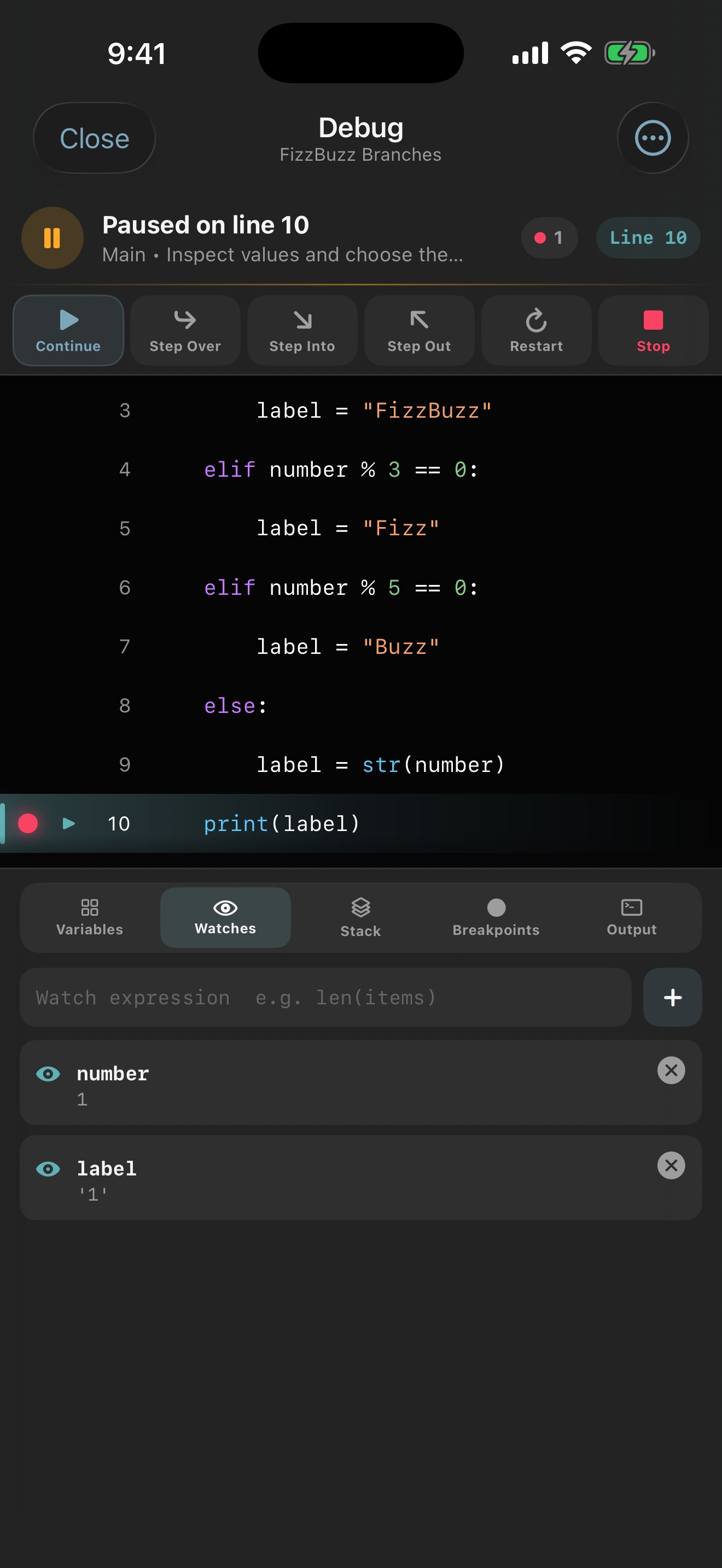
Keep the Python code you want to test in focused cards. Edit with local completion, run on-device, then debug with breakpoints, step controls, variables, watches, and a call stack.
Not a desktop IDE squeezed onto a phone. Just the tools needed to write, run, pause, and inspect Python without losing your place.
Add code and notes, then edit, duplicate, collapse, or reorder them. Source, breakpoints, watches, and recent results stay together on your device.
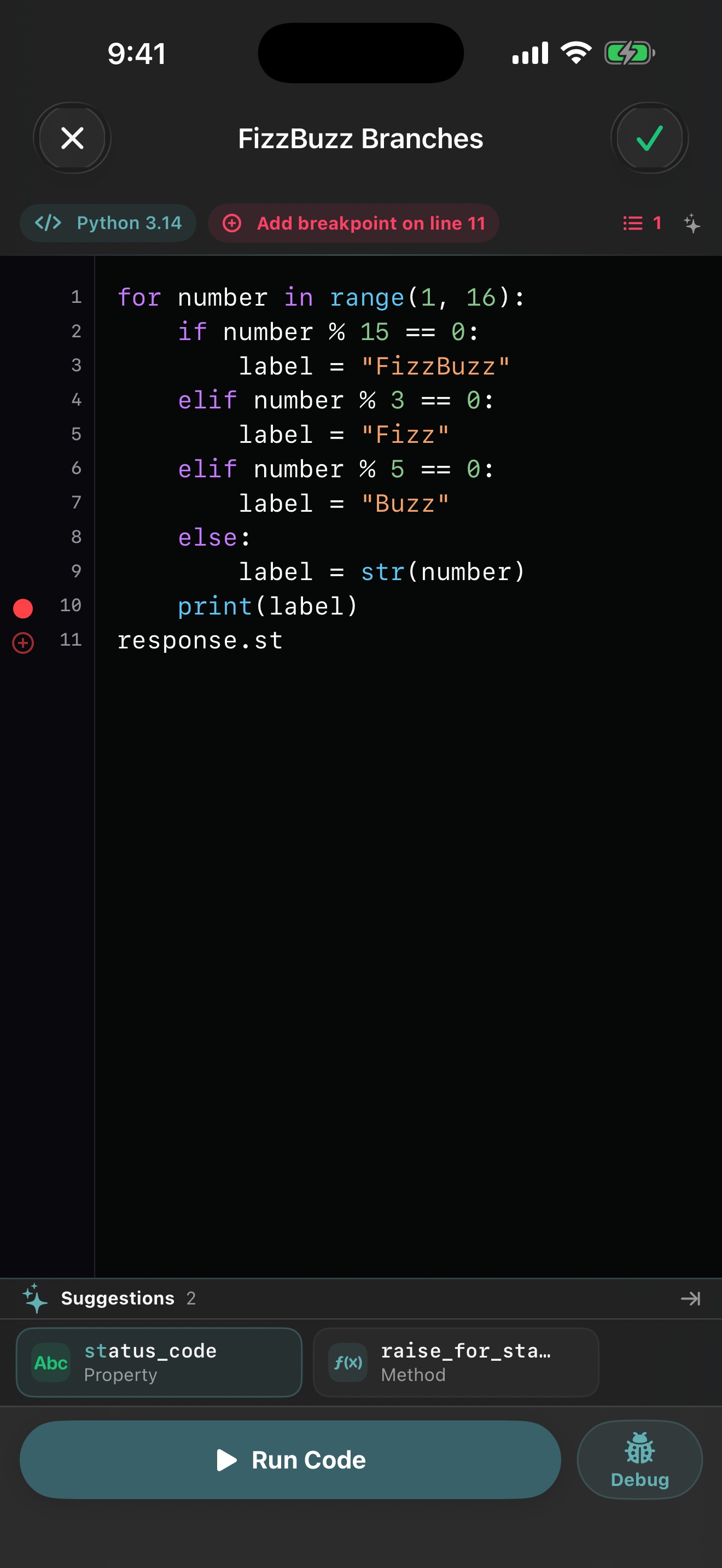
Python syntax highlighting and local completion help you write. Standard output, exception lines, execution time, and resulting variables appear in the same flow.
Use breakpoints, continue, step over, step into, step out, watches, live variables, and a call stack in a dedicated debugging screen.
The notebook, editor, breakpoint manager, debugger, reorder screen, and Settings share one consistent appearance. System appearance is supported too.
No account, advertising, analytics, tracking, or cloud sync. The app does not automatically send your code or execution results to the developer.